Air Mouse: point your phone at the screen to move the cursor
For a PC plugged into the TV, a flat trackpad is awkward. Air Mouse uses the phone's gyroscope so you aim instead of swipe.
Swiping a trackpad works at a desk. On a sofa, with the computer plugged into the TV across the room, it is guesswork: you swipe, look up, swipe again.
Air Mouse removes that loop. Hold the button, point the phone at the screen, and the cursor goes where you aim.
How it works
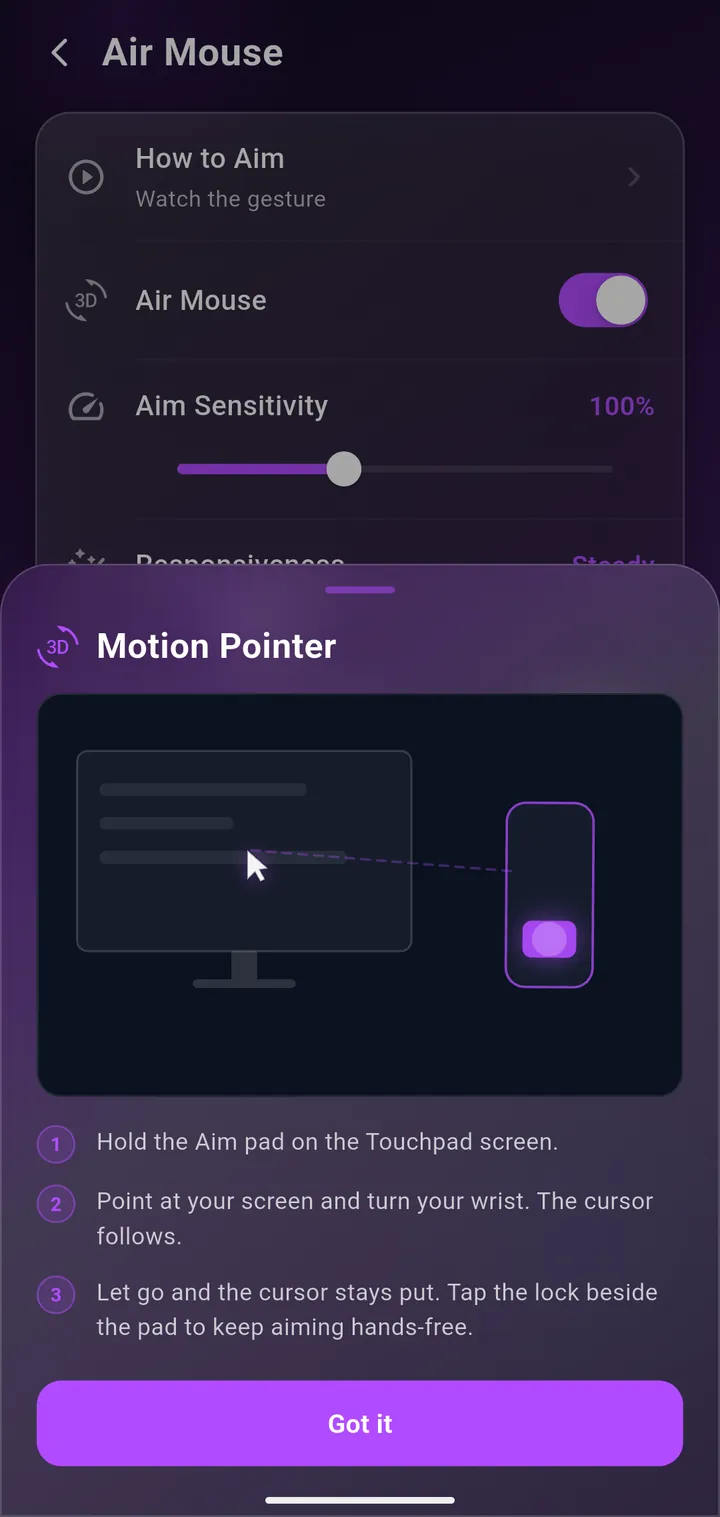
The phone's gyroscope measures how you tilt and turn it, and that motion drives the cursor. Pointer acceleration is applied on top: small, slow movements stay precise for hitting a button, while a quick flick carries the cursor right across a large display.
Holding a button to move — rather than tracking constantly — means you can lower the phone, talk, and pick up exactly where you left the cursor.
When it beats the trackpad
- A PC or Mac connected to a TV, where you are metres from the screen.
- Presentations, where you are standing and pointing anyway.
- Big or multi-monitor setups, where crossing the desktop with a trackpad takes several swipes.
- Anything one-handed — you never need a flat surface.
Getting it steady
Air Mouse has its own sensitivity setting, separate from the trackpad's. If the cursor feels twitchy, lower it a little: most people over-correct at first and then settle into small wrist movements rather than whole-arm ones.
One practical note: a gyroscope is hardware. Almost every modern phone has one, but a few budget models and most emulators do not, and the app will tell you if yours cannot do it.
Keep reading
Pair it with Screen View when you cannot read the TV from where you are sitting, or use the Mac guide to get set up.
Get WiMouse
Free on Android and iPhone, with a free desktop app for Windows and macOS. Everything runs on your local Wi-Fi, encrypted with AES-256, in 54 languages.