Control your Mac with your iPhone: trackpad, keyboard and media remote
Set up WiMouse on macOS, grant the one permission it needs, and use your iPhone as a trackpad, keyboard and Now Playing remote.
A Mac across the room is awkward: the trackpad is attached to the machine, and the keyboard needs a desk. Your iPhone solves both, and it is already in your hand.
Install and connect
- Get the iPhone app from the App Store (Android works exactly the same way).
- Get the Mac app from the Mac App Store, or use the .pkg installer — there is a universal build for Intel and Apple silicon, and a smaller Apple silicon one.
- Launch the Mac app. It runs in the menu bar, not in a window.
- Open the phone app, tap your Mac in the list, and start moving the cursor.
The permission macOS will ask for
macOS does not let an app move the cursor or press keys until you allow it. The first time you connect, grant WiMouse Accessibility access in System Settings → Privacy & Security. Screen View additionally needs Screen Recording, for the same reason any screen-sharing tool does.
These are the standard macOS prompts, and the app tells you which one it is waiting for rather than failing silently.
Everyday use
- Trackpad: tap to click, two-finger tap for right-click, two fingers to scroll, double-tap and hold to drag.
- Keyboard: types into whatever is focused, with Cmd, Option, Ctrl and the function row available.
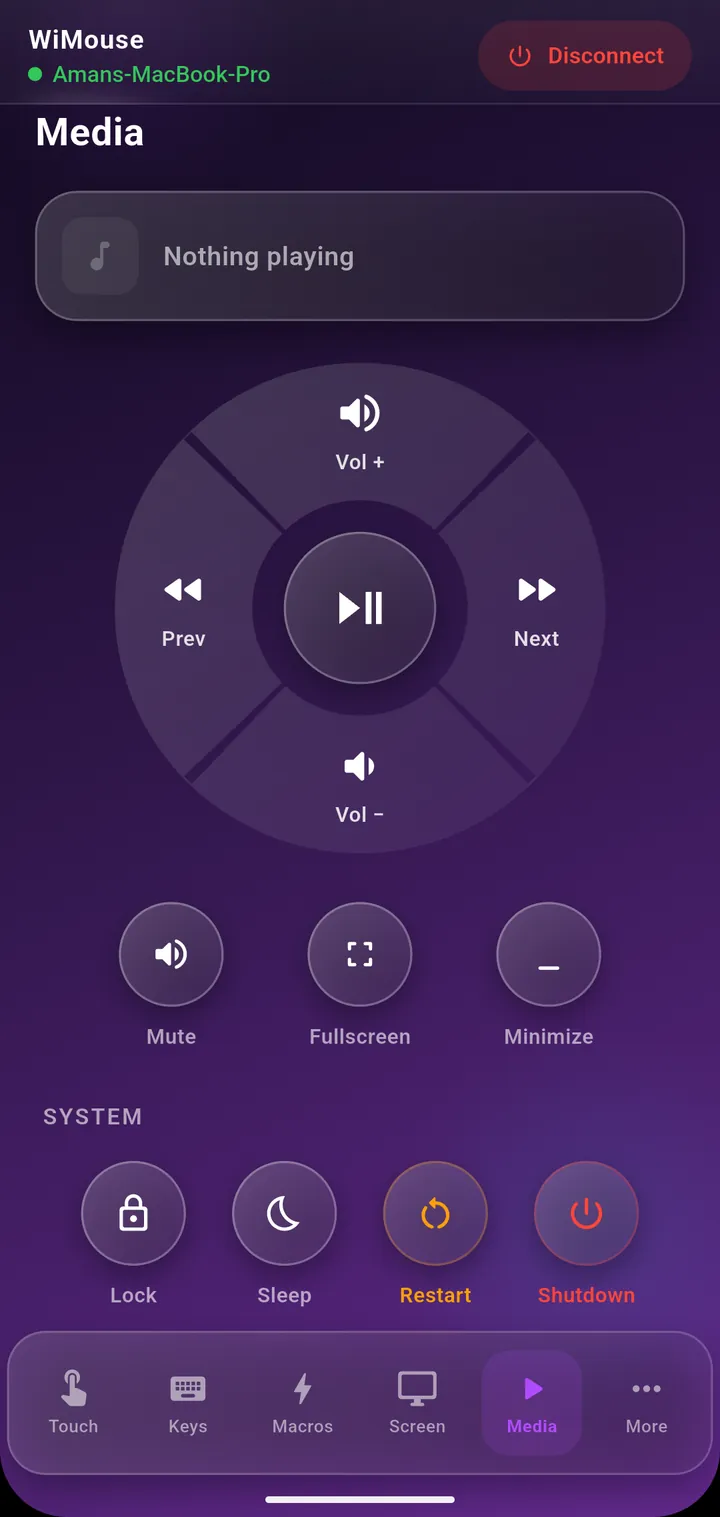
- Media: a Now Playing card with a scrubber, plus play/pause, previous, next and volume.
- System tiles: lock, sleep, restart, shut down and minimize — handy when the Mac is plugged into a TV.
- Presenter: Keynote's real shortcuts for next, previous, start and exit, with a laser pointer overlay.
Which Mac build should I download?
From the Mac App Store, none of this matters — it delivers the right build. If you use the direct download, the universal installer runs on every Mac, Intel or Apple silicon. The Apple silicon build is simply smaller, and only runs on M-series Macs.
Keep reading
Screen View puts your Mac's screen on the phone, and Air Mouse turns the phone into a pointer you aim at the display.
Get WiMouse
Free on Android and iPhone, with a free desktop app for Windows and macOS. Everything runs on your local Wi-Fi, encrypted with AES-256, in 54 languages.