Screen View: see your computer's screen on your phone
Your desktop, live on the phone, over your own Wi-Fi. Tap to place the cursor, pinch to zoom, and pick which monitor you are watching.
A trackpad is enough when you can see the screen. When you cannot — the laptop is closed on a shelf, or the TV is too far to read — you need the screen itself.
Screen View streams your desktop to the phone over your own Wi-Fi, and lets you control it by touching what you see.
What you can do with it
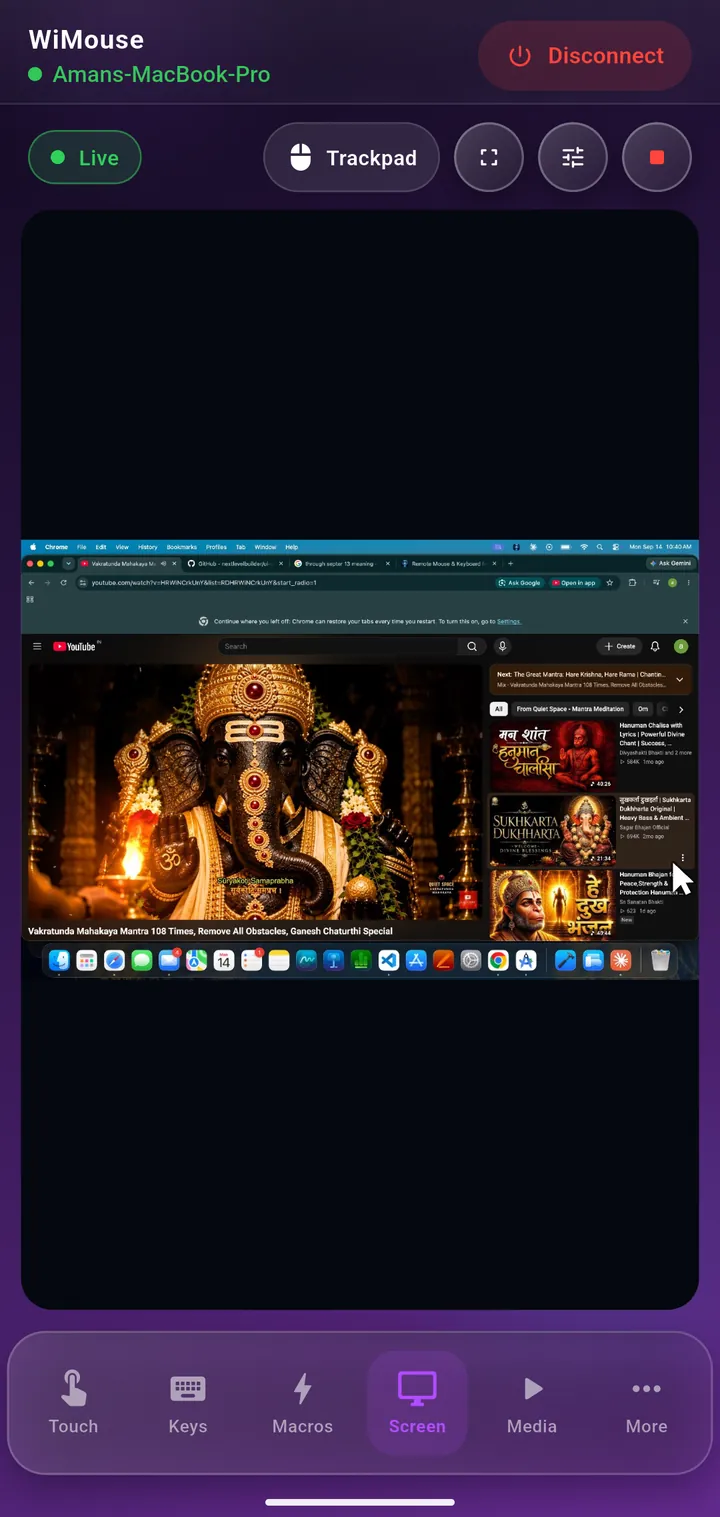
- Tap the image to put the cursor exactly there and click.
- Pinch to zoom into a small target — a menu item or a close button.
- Two fingers to scroll the window under the cursor.
- Pick the monitor you are watching, if the computer has more than one.
It stays on your network
Frames travel directly from the computer to the phone across your LAN, encrypted like every other command. Nothing is relayed through a server, which is what keeps it responsive — and it means whatever is on your screen is not passing through anyone else's infrastructure.
On macOS, the system asks for Screen Recording permission the first time, the same prompt any screen-sharing app triggers. Grant it in System Settings → Privacy & Security and the stream starts.
Good uses for it
- A media PC plugged into the TV, when the TV is off or the text is too small to read from the sofa.
- A headless or shelved machine you occasionally need to click something on.
- Checking on a long render, export or download without walking to the desk.
- Helping someone with their computer while sitting next to them rather than leaning over.
Worth knowing
Screen View is part of WiMouse Pro. The trackpad, keyboard, media remote, presenter, Air Mouse, app launcher and file transfer are all free — Screen View, the full macro catalogue, multi-desktop switching and the home-screen widgets are what Pro adds.
It also gets easier to justify once you realise it replaces the walk to the desk, several times a day.
Keep reading
See it running in the demo video, or read about Air Mouse, which pairs naturally with it on the sofa.
Get WiMouse
Free on Android and iPhone, with a free desktop app for Windows and macOS. Everything runs on your local Wi-Fi, encrypted with AES-256, in 54 languages.